RAIDON iR5440 — Compact 4-bay 2.5" SATA Hardware RAID Module
High-density 4-bay hardware RAID for 1U systems that demand reliability, serviceability, and compact integration.
Overview
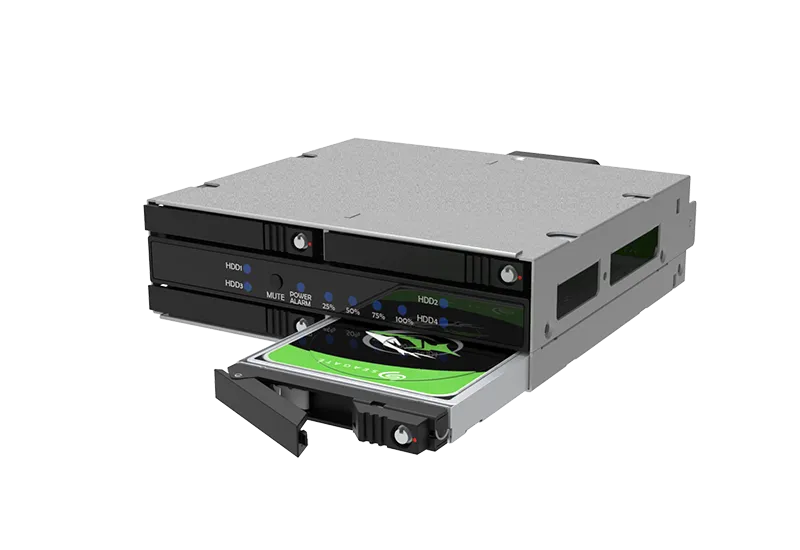
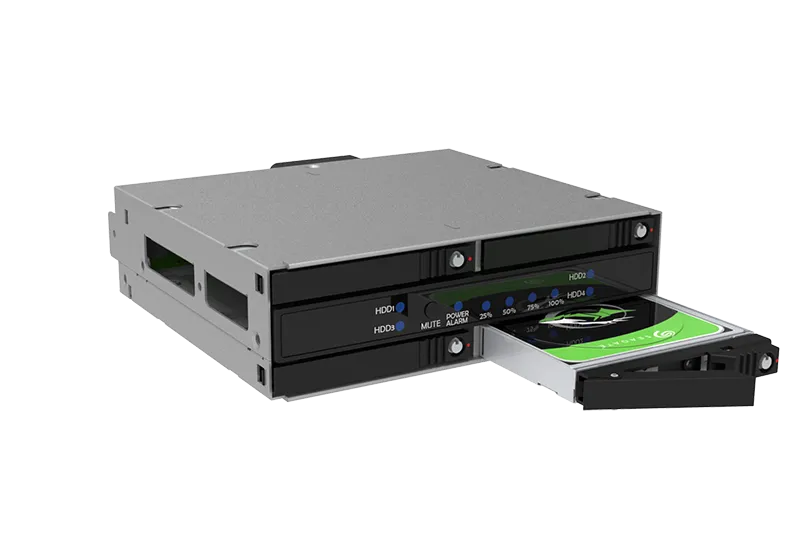
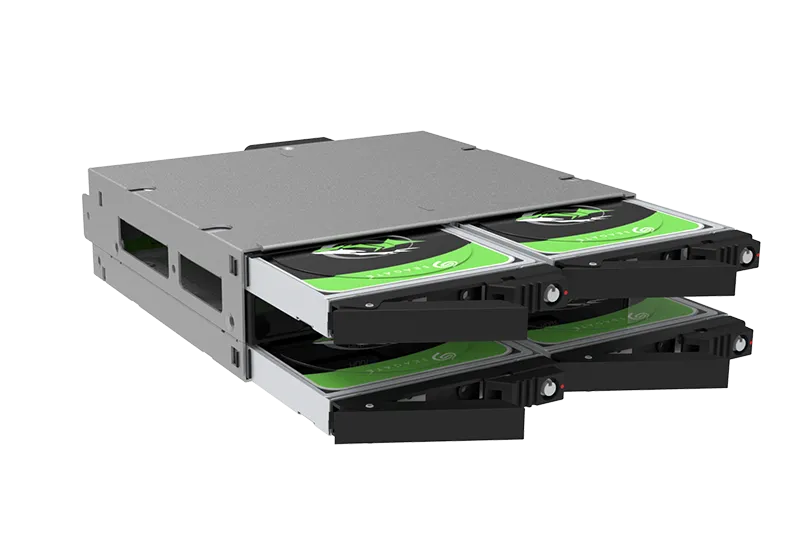
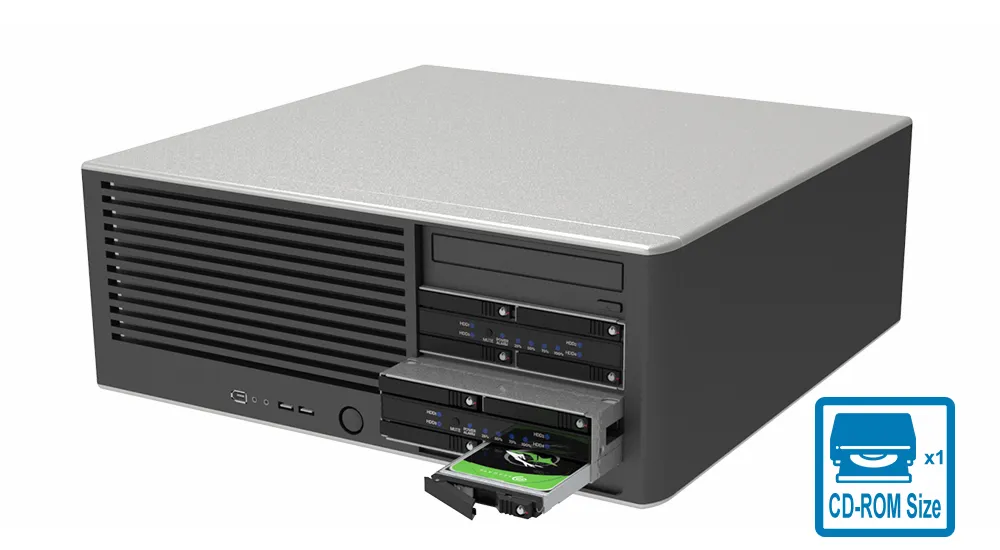
The RAIDON iR5440 is a compact 4-bay 2.5-inch SATA hardware RAID storage module designed for 1U ODD form factor systems. Built for industrial PCs, small servers, embedded platforms, surveillance systems, and professional workstations, it provides a space-efficient way to add high-density RAID storage to compact system designs.
Designed for system integrators who need reliable RAID storage without increasing chassis complexity.
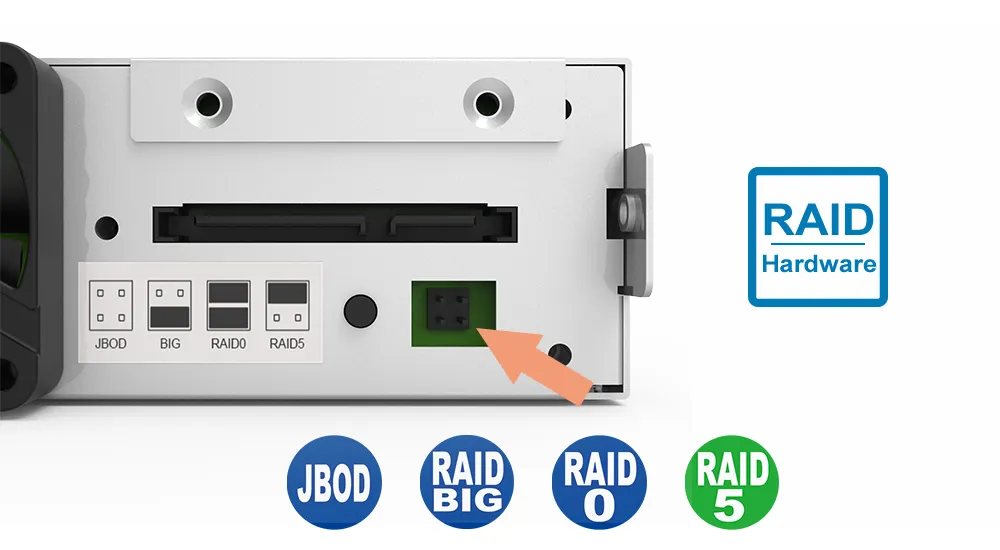
Supporting RAID 0, RAID 5, BIG, and JBOD modes, the iR5440 gives system integrators the flexibility to choose between performance, capacity expansion, and data protection. With hot-swappable drive trays, a full-metal chassis, active cooling, RAID rebuild indicators, system alerts, and GUI-based monitoring, it is designed for reliable operation and easy maintenance in demanding environments.
Unlike generic 2.5-inch drive cages, the iR5440 integrates true hardware RAID, hot-swap trays, and active cooling in a 1U ODD footprint.
Features
1. Compact Four-Bay 2.5-Inch SATA Storage Design
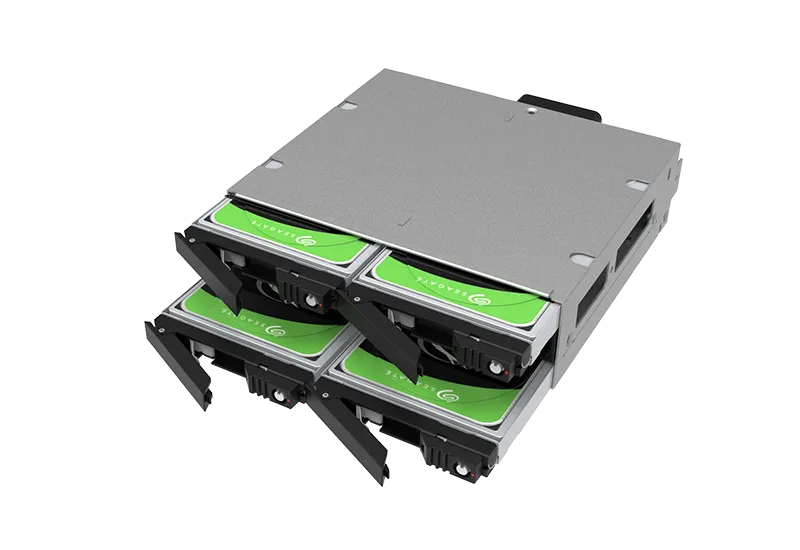
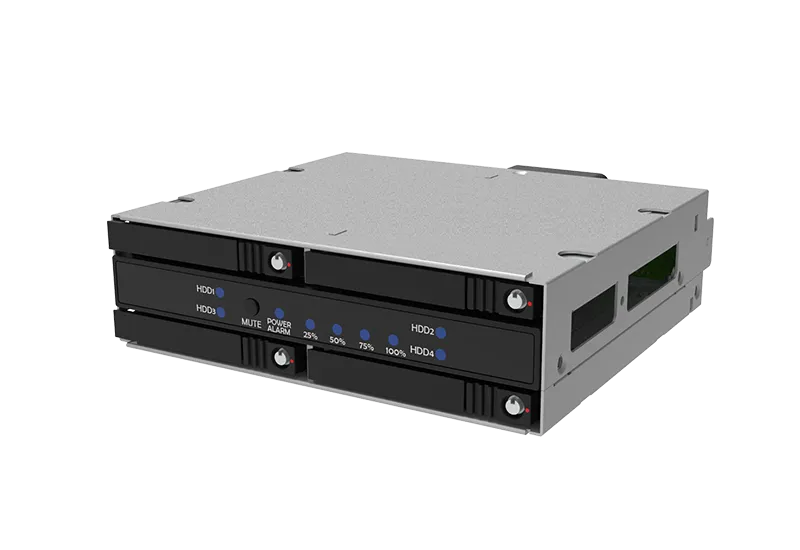
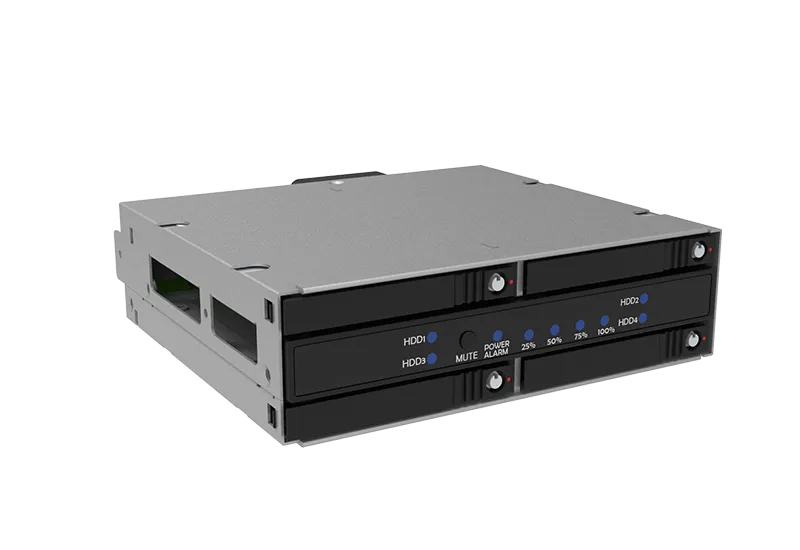
The iR5440 supports up to four 2.5-inch SATA HDDs or SSDs in a compact 1U ODD form factor. Its shallow chassis design helps reduce internal interference, making it suitable for space-limited industrial PCs, edge systems, small servers, and short-depth rackmount platforms.
2. Hardware RAID 0, RAID 5, BIG, and JBOD Support
The iR5440 supports multiple RAID modes for different storage requirements:
|
RAID Mode |
Practical Use |
|
RAID 0 |
Stripes data across drives for maximum speed; best for high-performance temporary workloads. |
|
RAID 5 |
Uses distributed parity for balanced performance and redundancy. |
|
BIG |
Combines multiple drives into one large volume for simple capacity expansion. |
|
JBOD |
Allows each drive to operate independently for individual drive management. |
RAID 5 can tolerate one drive failure and continue operating while the failed drive is replaced and the array is rebuilt.
3. Single SATA Host Connection for Simplified Integration
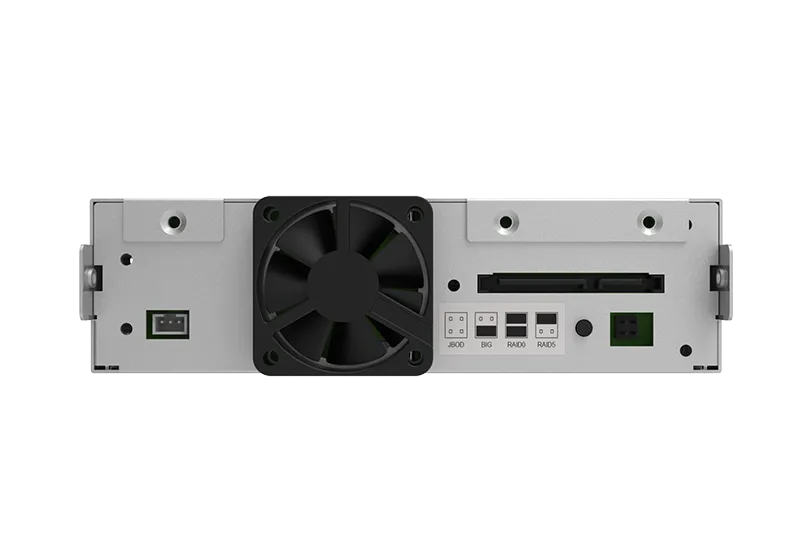
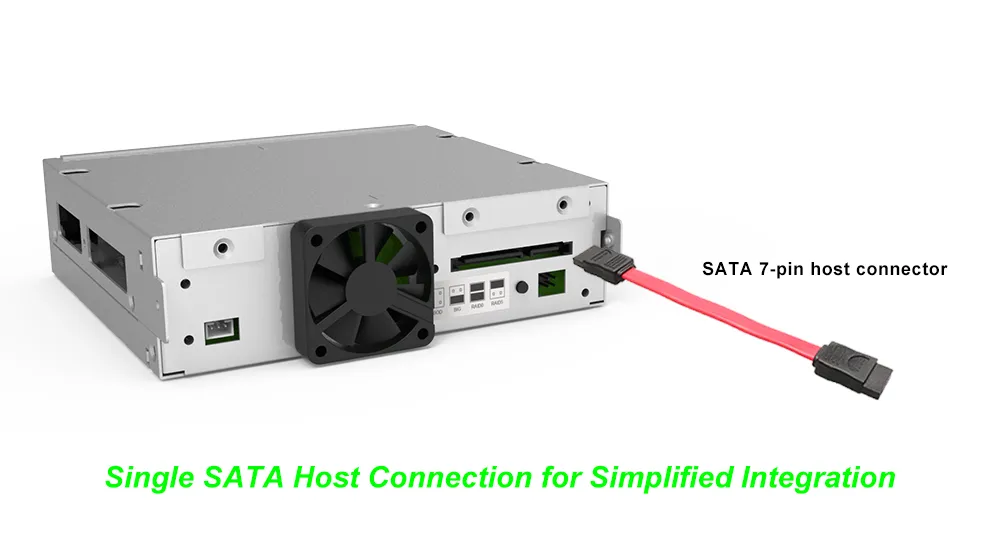
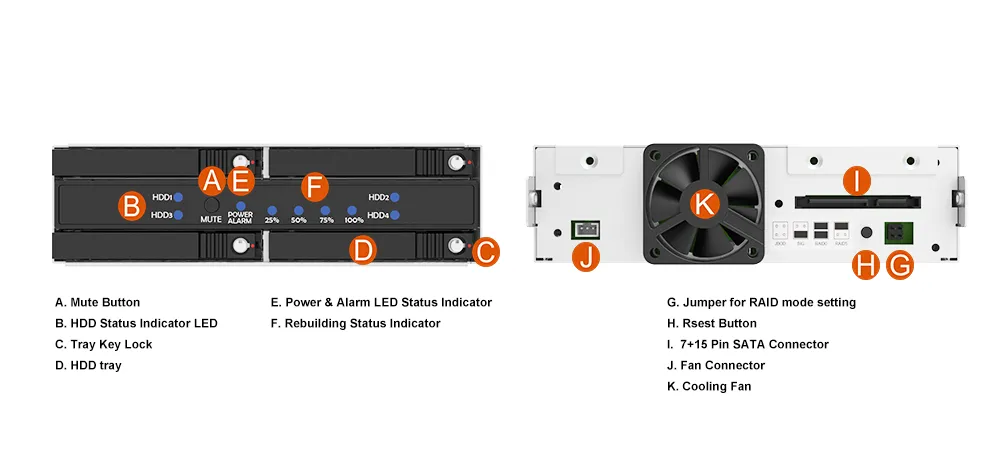
The iR5440 connects to the host system through one SATA III 6Gb/s interface. In RAID 0, RAID 5, and BIG modes, the internal hardware RAID controller manages all four drives and presents the configured array as a single volume, helping simplify cable routing and reduce host-side SATA port usage.
For JBOD mode, the host controller must support SATA Port Multiplier to detect all four drives individually.
4. Hot-Swappable Full-Metal Drive Trays
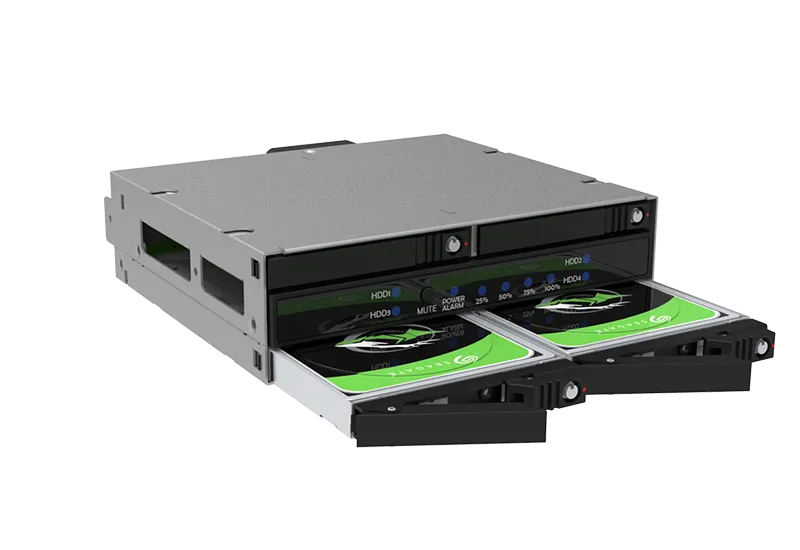
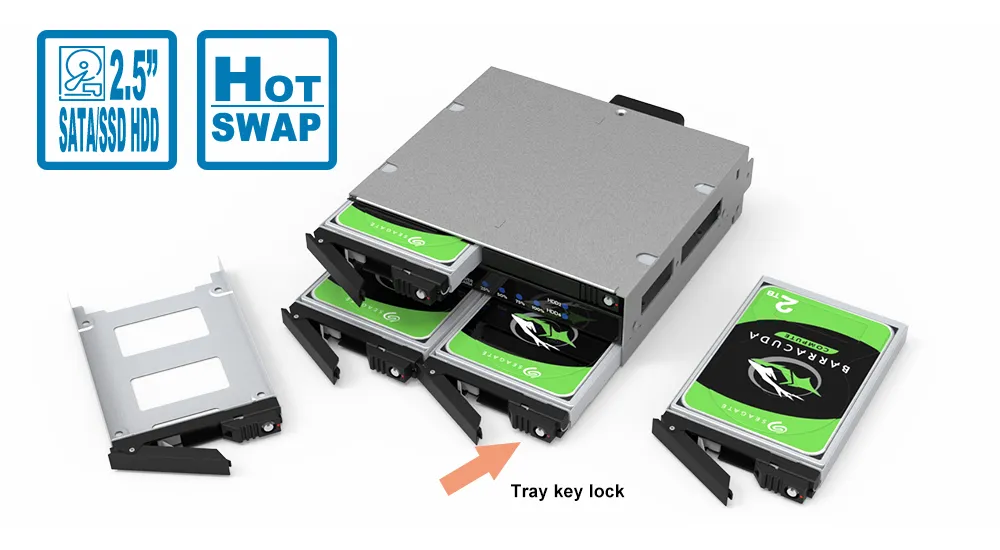
Each bay uses a removable 2.5-inch drive tray with a secure locking mechanism. The hot-swap design allows faster drive replacement and easier maintenance, while the full-metal tray construction and screw-fixed design help improve physical stability during operation.
5. RAID Rebuild and System Status Indicators
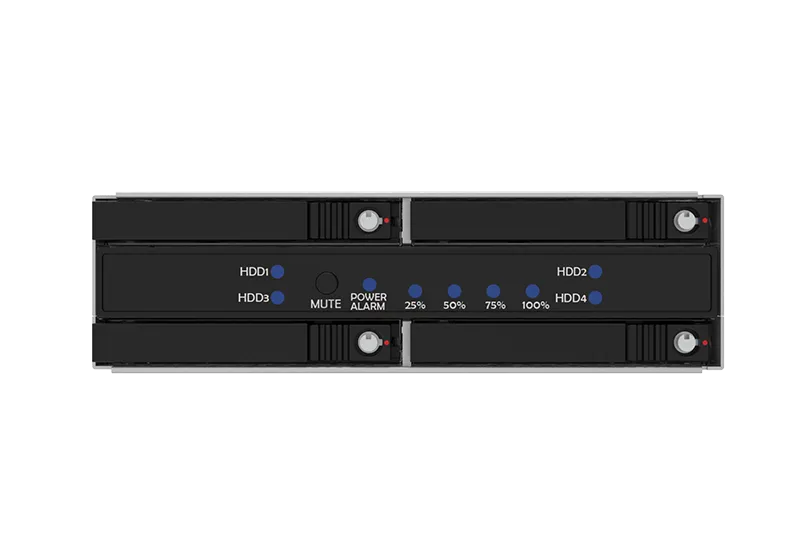
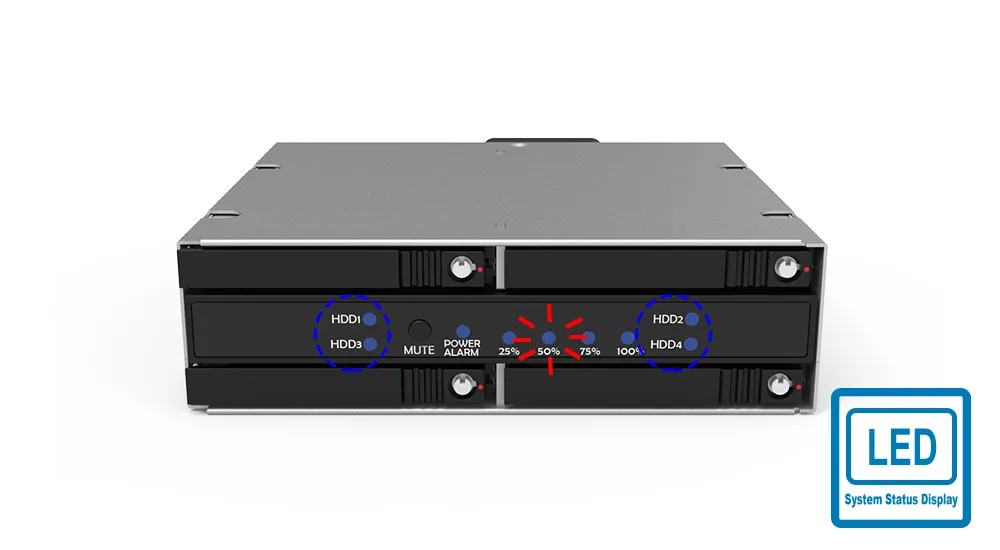
The iR5440 provides LED indicators for drive activity, drive failure, and RAID rebuild progress. Rebuild status is shown in four stages: 25%, 50%, 75%, and 100%, allowing users to check array recovery progress at a glance.
6. RAIDON STATUSGUARD GUI Monitoring for Windows OS
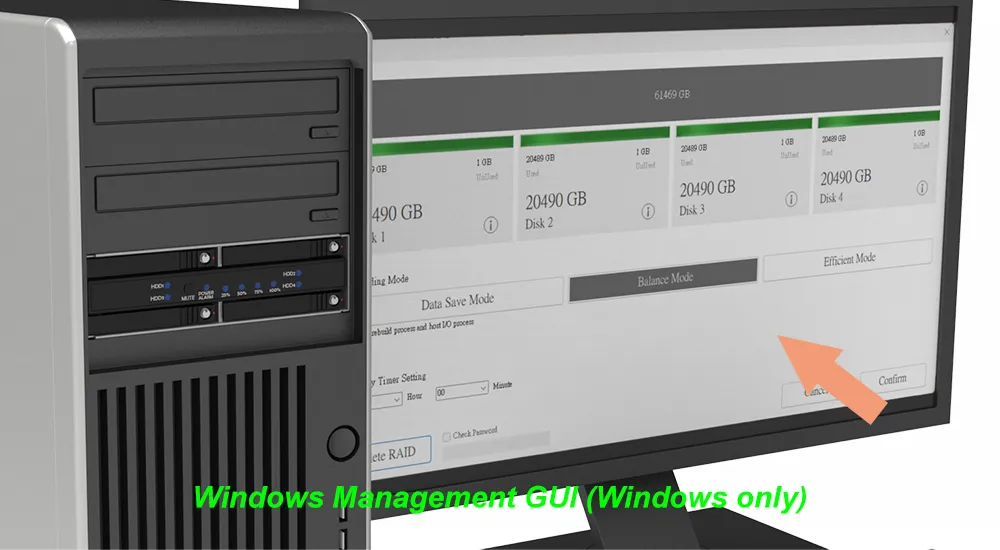
For Windows users, the iR5440 supports RAIDON STATUSGUARD GUI software, providing a graphical interface for RAID status monitoring, device management, drive-health checking, and event log review. This helps users monitor system conditions more easily and identify potential drive or RAID issues before they become critical. STATUSGUARD provides early-warning alerts, helping prevent downtime in 24/7 deployments.
Note: STATUSGUARD GUI support is available for Windows OS. Linux systems can use standard OS-level storage tools, but RAIDON STATUSGUARD GUI is Windows-based.
7. Overheat and Fan-Failure Alerts
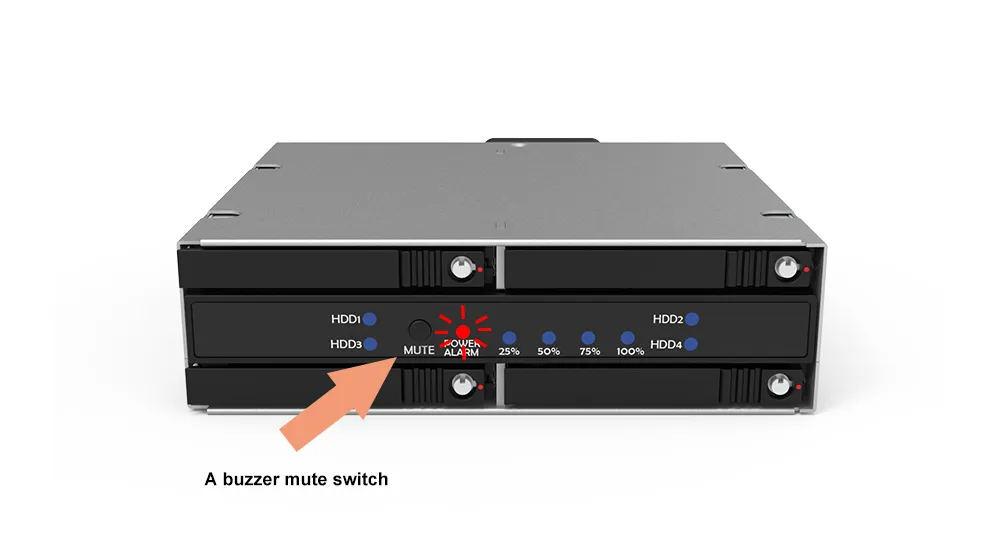
The iR5440 includes temperature and fan-failure monitoring with LED and buzzer alerts. A buzzer mute switch allows users to silence the alarm after the issue has been acknowledged.
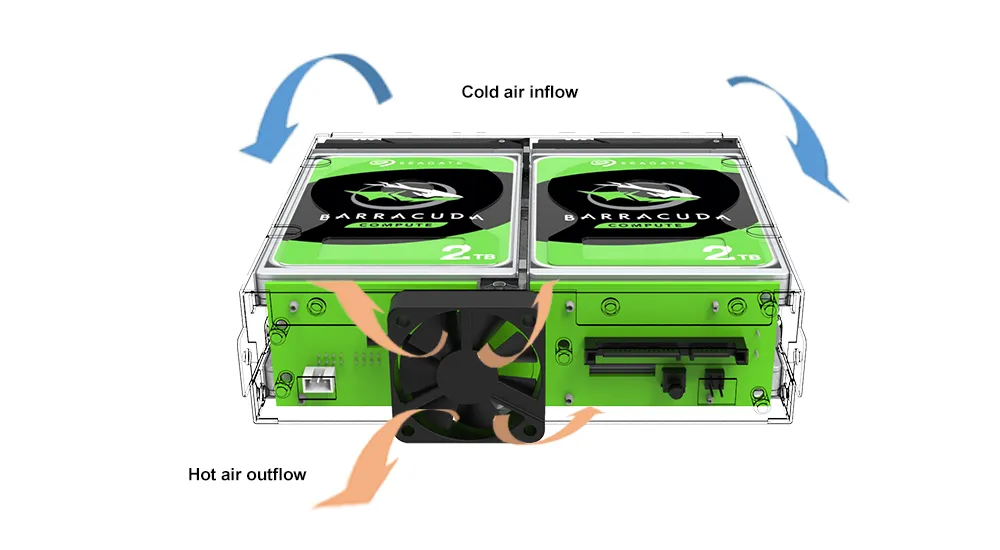
8. Full-Metal Chassis with Active Cooling
The full-metal enclosure improves durability and heat dissipation. A non-overlapping drive layout helps airflow efficiency, while the built-in 40 mm low-noise cooling fan supports stable thermal control in compact system environments.
Benefits
|
Buying Consideration |
What Users Need |
How the iR5440 Delivers |
|
Data Protection |
Protection against single-drive failure |
RAID 5 support with rebuild progress indication |
|
RAID Flexibility |
Multiple modes for different workloads |
RAID 0, RAID 5, BIG, and JBOD support |
|
Compact Integration |
More storage in limited space |
4-bay 2.5" design in a 1U ODD form factor |
|
Easy Maintenance |
Fast drive replacement |
Hot-swappable lockable drive trays |
|
Cooling Reliability |
Stable operation in dense systems |
Full-metal chassis, optimized airflow, and 40 mm fan |
|
Monitoring |
Clear system and drive status |
LEDs, buzzer alerts, RAID rebuild indicators, RAIDON STATUSGUARD GUI for Windows OS, and event logging |
Competitive Comparison: iR5440 vs. Alternative Storage Solutions
|
Comparison Item |
iR5440 |
Standard Mobile Rack |
2-Bay RAID Module |
External DAS/NAS |
|---|---|---|---|---|
|
Installation Location |
Internal 1U ODD |
Mostly 3.5" / 5.25" bay |
3.5" / compact bay |
External or rackmount |
|
Drive Count |
4 × 2.5" SATA |
Varies by model, usually 2–8 bays |
Mostly 2 bays |
4 bays or more |
|
RAID Function |
RAID 0 / RAID 5 / BIG / JBOD |
Usually no hardware RAID |
Mostly RAID 0 / 1 |
Software RAID or NAS RAID |
|
RAID 5 Support |
Yes |
Usually no |
Usually no |
Depends on product |
|
Hot-Swap Support |
Yes |
Yes |
Yes |
Yes |
|
System Monitoring |
LEDs, buzzer, STATUSGUARD |
Mostly LEDs |
Depends on product |
Software management interface |
|
System Integration |
High |
Medium |
High |
Low to medium |
|
Best-Fit Market |
IPC, NVR, edge systems, small servers |
Industrial removable drive applications |
Boot drive RAID |
Desktop or network storage |
Applications
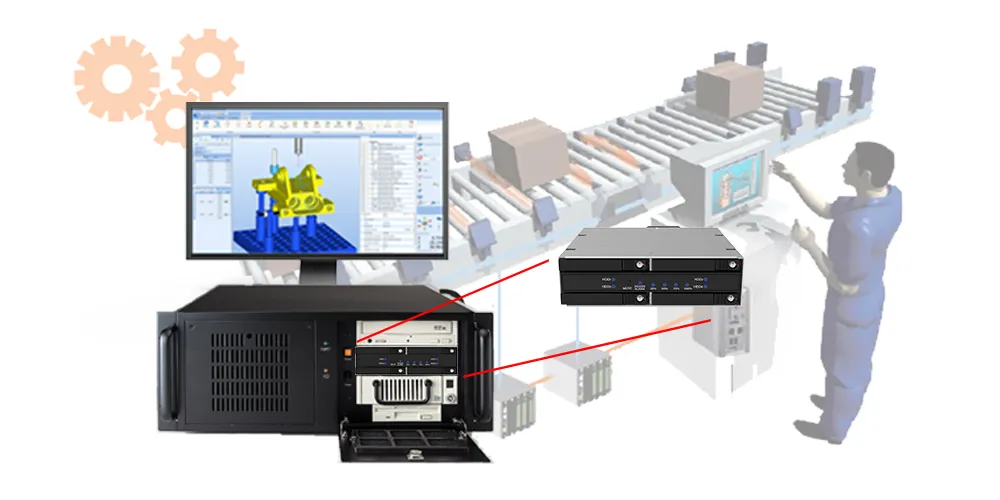
● Industrial Automation and Control Systems
The iR5440 is suitable for industrial PCs used in automation, machine control, and production monitoring. RAID 5 provides drive-failure tolerance for important logs, control data, and local system records.
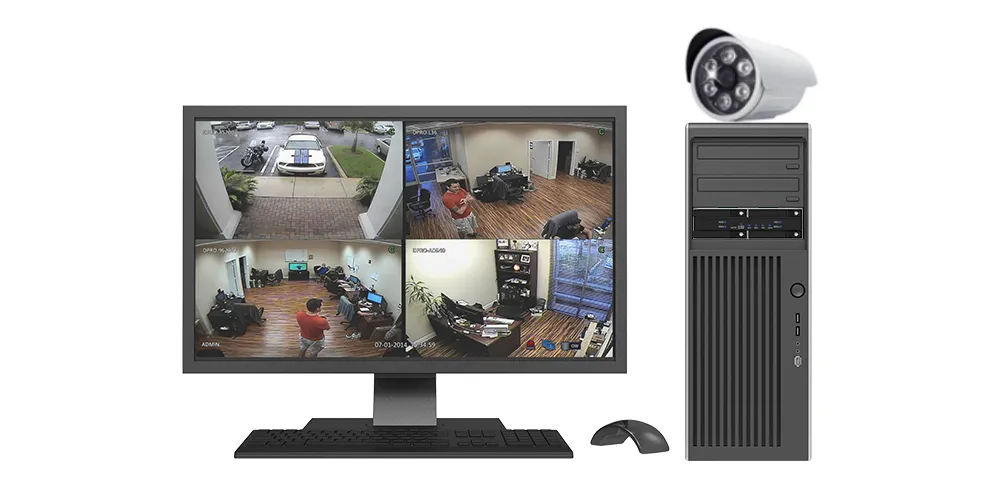
● Surveillance and Security Systems
For NVR and DVR platforms, the iR5440 provides compact multi-drive storage with hot-swap serviceability. RAID 5 helps protect recorded data from a single drive failure, while LED and buzzer alerts simplify maintenance.
● Edge Computing and Embedded Platforms
Edge servers and IoT gateways often require reliable local storage in compact enclosures. The iR5440’s shallow 1U design makes it suitable for space-constrained deployments where storage density, serviceability, and thermal control are important.
● Professional Workstations
For CAD/CAM, 3D rendering, media production, engineering, and scientific workloads, the iR5440 can be configured for performance-focused RAID 0 or protection-focused RAID 5.
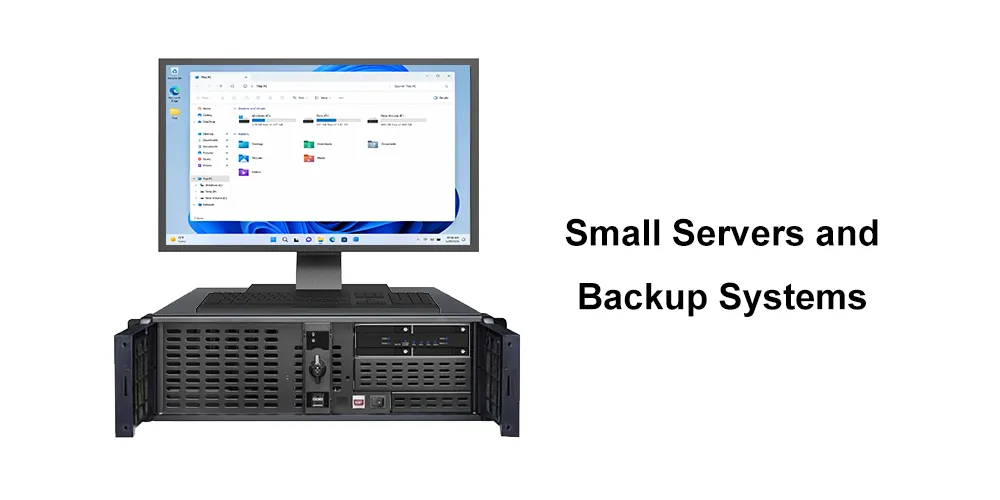
● Small Servers and Backup Systems
The iR5440 is also suitable for small servers and local backup systems that require compact RAID storage, hot-swap maintenance, and clear system monitoring.
Important Usage Notes
1. JBOD Mode Requires Port Multiplier Support
In JBOD mode, each drive operates independently. To detect all four drives individually through the host connection, the host SATA controller must support Port Multiplier. Most standard motherboard SATA ports do not support this feature, so only one drive may be detected if the iR5440 is connected directly to a non-Port Multiplier SATA port.
2. RAID 0, RAID 5, and BIG modes do not require Port Multiplier support
The iR5440 presents the configured array as a single volume.
3. Configure RAID Mode Before Installation
Set the desired RAID mode before mounting the iR5440 into the system chassis. In compact 1U systems, the mode-selection switches may be difficult to access after installation.
4. Reusing Drives from a RAID 5 Array
A drive previously used in a RAID 5 array should be fully erased and re-initialized before being reused in another configuration. Old RAID metadata may prevent the drive from being recognized properly.
Warning : full erase, low-level format, or re-initialization permanently deletes all data on the drive. Always back up important data before changing RAID configurations or reusing drives.
5. Use Suitable Drives for RAID Workloads
For RAID configurations and continuous operation, use reliable SATA HDDs or SSDs suitable for the intended workload. For best compatibility, refer to RAIDON’s latest HDD/SSD compatibility guidance.
Frequently Asked Questions (FAQ)
Q1: What RAID modes does the iR5440 support?
A: The iR5440 supports RAID 0, RAID 5, BIG, and JBOD, allowing users to choose between performance, data protection, capacity expansion, and independent drive access.
Q2: What is RAID 5 used for?
A: RAID 5 balances performance and data protection by using distributed parity. It can tolerate one drive failure and continue operating while the failed drive is replaced and rebuilt.
Q3: What are the differences between RAID 0, RAID 5, BIG, and JBOD?
A:
|
RAID Type |
Description |
Performance |
Redundancy |
Risk |
|
RAID 0 |
Stripes data across multiple drives |
High |
None |
Data will be lost if any one drive fails |
|
RAID 5 |
Stripes data with distributed parity |
High |
Yes, tolerates one drive failure |
Performance may be reduced during rebuild; data may be lost if a second drive fails before rebuild is complete |
|
BIG |
Combines all drives into one large volume |
Moderate |
None |
Data may be lost if one drive fails |
|
JBOD |
Allows each drive to operate independently |
Varies by drive |
None |
No RAID protection; each drive is managed separately |
Q4: Is RAID 5 a replacement for backup?
A: No. RAID 5 helps protect against a single drive failure, but it is not a backup solution. Important data should always be backed up separately to another storage device or backup system.
Q5: Does JBOD work with any SATA port?
A: No. JBOD mode requires a SATA host controller with Port Multiplier support. Without Port Multiplier support, the host system may detect only one drive.
Q6: Does the iR5440 support hot-swapping?
A: Yes. The iR5440 supports hot-swappable 2.5-inch drive trays for easier maintenance and drive replacement.
Q7: How does the iR5440 show RAID rebuild progress?
A: The iR5440 provides LED rebuild progress indicators at 25%, 50%, 75%, and 100%.
Q8: What happens if the system overheats or the fan fails?
A: The iR5440 provides LED and buzzer alerts for overheat and fan-failure conditions. The buzzer mute switch allows users to silence the alarm after the issue has been acknowledged.
Q9: What type of drives can be used?
A: The iR5440 supports 2.5-inch SATA HDDs and SSDs. For best results, use drives suitable for RAID or continuous-operation workloads and refer to RAIDON’s latest compatibility guidance.
The iR5440 can also support M.2 SATA drives when used with a RAIDON SROCK SATA adapter installed in the drive tray.

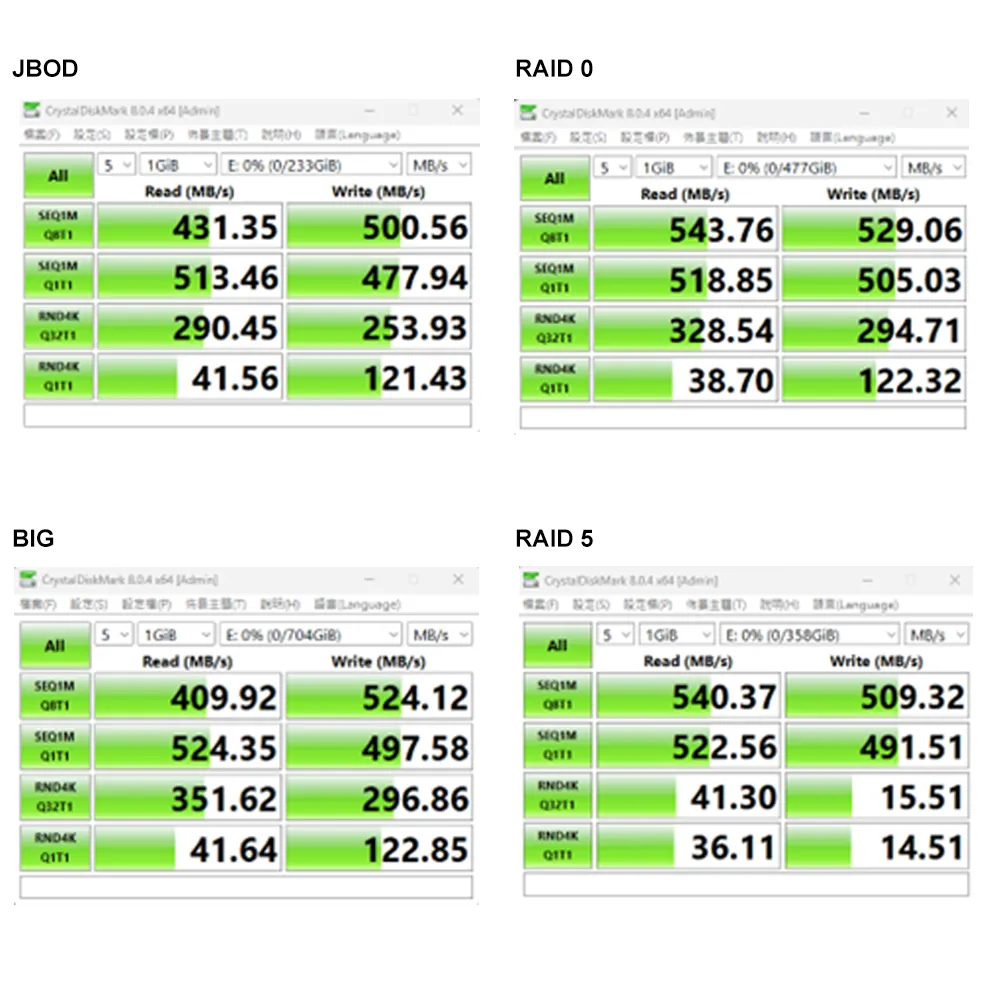
Performance test result for reference. The test result will vary depend on the test environment.
Product View
Specification
| Model No | iR5440 |
|---|---|
| Host Interface | 7+15-pin SATA III 6.0Gb/s port ×1 |
| Supported Drives | 2.5" SATA III / II / I HDDs or SSDs ×4 |
| RAID Mode | RAID 0 / RAID 5 / BIG / JBOD |
| System Monitoring | Fan failure, overheat, and HDD/SSD failure |
| Fan failure, overheat, and HDD/SSD failure | 40 mm low-noise fan |
| Operating System Support | Windows, Linux |
| Monitoring & Protection | RAID rebuild progress (25% / 50% / 75% / 100%) Overheat / fan failure LED + buzzer alerts |
| GUI Monitoring | RAIDON STATUSGUARD GUI software for Windows OS |
| Certifications | CE, FCC, RoHS, REACH |
| Dimensions | 148 x 140 x 43 mm (W x L x H) |
| Packaging | 10 pieces per carton |
| Included Accessories | iR5440 ×1, including removable HDD/SSD trays with locks ×4 SATA cable ×1, keys ×4, accessory kit bags ×3 Quick Installation Guide x1 |
RaidonTek.com (raidon.com.tw) uses cookies to improve site functionality and your overall experience by storing necessary information for service delivery. By continuing, you consent to our use of cookies as detailed in our Privacy Policy, which provides more information about this usage. (Accept cookies to continue browsing the website)